How I Use AI to Improve Photography Skills
I’m still a beginner when it comes to photography. So AI is sort of my help. hone my photography skills. Photography has always been a combination of technical knowledge and creativity.
You need to understand light, composition, exposure, perspective, and timing. But you also need the ability to notice something that others might overlook.
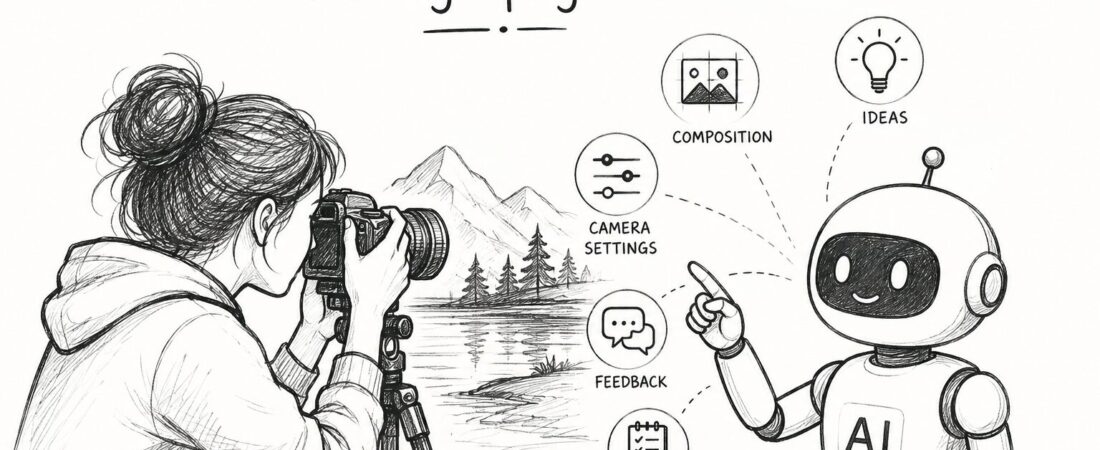
Today, AI can help photographers with many parts of the process. It can suggest ideas, explain technical concepts, improve editing workflows and even help you plan a shoot.
But AI cannot replace your eyes.
It can help you become a better photographer if you know how to use it.
1. Use AI to learn photography concepts
If you are still learning photography, AI can act like a personal tutor.
You can ask questions in simple language instead of searching through complicated photography manuals.
For example:
- Why is my background blurry?
- When should I use a fast shutter speed?
- Why are my indoor photos too dark?
- What aperture should I use for portraits?
- How can I photograph a sunset?
- What causes noise in low-light photos?
You can even describe a photograph you took and ask what might have gone wrong.
Instead of simply giving you an answer, ask AI to explain the concept so you understand it.
The goal shouldn’t be to memorize settings.
It should be to understand why you are choosing those settings.
2. Get composition ideas
Sometimes you have a subject but don’t know how to photograph it.
This is where AI can help you think differently.
Describe your subject and location and ask AI for possible compositions.
For example, if you are photographing a person near a window, AI might suggest using the window as a natural frame, placing the subject off-centre or using the shadows to create contrast.
You don’t have to follow every suggestion.
Use the ideas as a starting point.
Photography is still about what you see through the camera.
3. Use AI to understand your camera better
Camera manuals can be overwhelming, especially when you are just starting.
AI can explain camera functions in much simpler terms.
You can ask about aperture priority, shutter priority, ISO, autofocus modes, white balance or exposure compensation.
You can also ask for practical examples.
Instead of asking:
“What is aperture?”
Try:
“Explain aperture using a portrait example and tell me what happens when I change from f/2.8 to f/8.”
That kind of question can turn a technical concept into something you can actually understand and try with your camera.
4. Improve your photo-editing skills
AI-powered editing tools can make photo editing much easier.
Many editing applications now offer features such as automatic masking, noise reduction, object removal, sky replacement and intelligent adjustments.
But don’t simply press an “auto” button and accept whatever the software produces.
Look at what changed.
Did the highlights become too bright?
Did the skin become unnatural?
Did the colours become oversaturated?
Did the software remove something that actually belonged in the photograph?
AI can speed up editing, but your judgement is still important.
The best use of AI is often assistance, not automatic decision-making.
5. Ask AI to critique your photography
One of the most useful ways to learn is to get feedback.
You can upload a photograph to an AI tool that supports image analysis and ask it to critique the image.
For example:
“Analyse this photograph from a photography perspective. Comment on composition, lighting, subject placement, background distractions and visual balance. Tell me what I could improve.”
You may not agree with everything it says.
That’s okay.
The purpose isn’t to let AI decide whether your photograph is good.
The purpose is to make you look at your own photograph more critically.
Sometimes another perspective helps you notice something you missed.
6. Plan your photography trips
AI can also help before you even pick up your camera.
If you are planning a photography trip, you can ask for ideas about subjects, possible locations, lighting conditions, time of day and photography styles.
For example, you could ask:
“I’m visiting a coastal town for one day. Give me a simple photography plan covering sunrise, daytime, golden hour and evening.”
You can then build your own shot list.
This can be particularly useful when you have limited time and don’t want to arrive at a location without a plan.
Just remember to verify important information such as opening hours, access restrictions, weather and local rules rather than relying entirely on AI.
7. Use AI to find your photography style
Many photographers eventually start asking themselves:
What is my photography style?
AI can help you analyse patterns in your own work.
You could show it several photographs and ask what they have in common.
Perhaps you consistently prefer natural light.
Maybe you photograph people from unusual angles.
Perhaps you are drawn to minimal compositions, bright colours, shadows, nature or candid moments.
AI may help you identify patterns that you hadn’t consciously noticed.
But don’t try to force yourself into a particular style simply because AI suggests one.
Your style develops through practice.
8. Let AI handle some of the work around photography
Photography isn’t only about taking photographs.
There are captions to write, files to organise, social media posts to prepare, blog posts to create and portfolios to update.
AI can help with these repetitive tasks.
You can use it to brainstorm captions, describe photographs, create blog ideas, organise a shoot checklist or turn your photography experience into useful content.
This gives you more time to do the thing that matters most:
take photographs.
AI should make you a better photographer, not replace you
There is a temptation to think that because AI can create beautiful images, photographers will eventually become unnecessary.
I don’t see it that way.
Photography is not simply about producing an attractive image.
It is about being present at a particular moment and deciding what deserves to be captured.
AI can teach you.
It can suggest.
It can analyse.
It can speed up your workflow.
It can help you experiment.
But the decision to lift the camera, wait for the right light, choose the frame and press the shutter is still yours.
So use AI.
Ask questions. Experiment. Get feedback. Learn editing. Plan better shoots.
But don’t let AI become your eyes.
Let it become another tool in your camera bag.

Leave a Reply