
How to Store Large Photos Safely: 10 Smart Ways to Protect Your Memories
Introduction
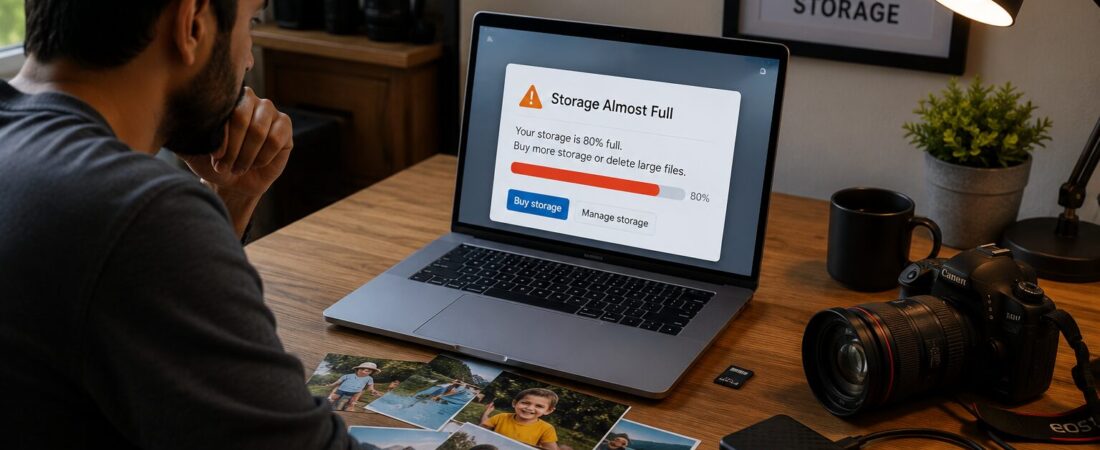
Sometimes, I get a message from Google stating, “Your storage is 80% full. Purchase additional storage or delete large files.”
Every single time, this message makes me face a dilemma on which files should I delete? As usual, the biggest space consumers turn out to be my photographs. However, it’s not always possible to delete my photos because each of them is valuable and unique.
And then I understood that instead of choosing which pictures to delete, I needed a way to save my photographs in safe storage. If you are the kind of person who shoots thousands of high resolution pictures, here are a few ways of storing them securely and without space problem.
The biggest nightmare of a photographer is not making a bad picture but missing a good one.
It’s even harder to decide which files to delete when these pictures are of your kid. Every smile, first steps, birthdays, silly faces – each of them is irreplaceable. There’s no way I can afford deleting them just to have more storage space.
Over time, I have managed to build up thousands of high-resolution photos. Some are memories of my family, while some are images that I plan on selling through my photography website. Today’s cameras take such highly-detailed photographs, but the size of files is also very large. Just one RAW photograph could easily take up more than 30 MBs of space, and taking photographs for one day could take up several gigabytes.
Having learned a thing or two the hard way, I think I have found a good solution to the problem of storing my photos.
Here are the methods I recommend.
1. Store Your Photos on an External Hard Drive
Through time, I have been able to accumulate thousands of photos with high resolution. There are those that are memories of my family and there are others that I intend to sell on my photography site. Cameras today produce photos of great quality, although the amount of space occupied by files is equally huge. It is possible that one RAW photo alone occupies more than 30 MB and just shooting photos within a day can consume several gigabytes of space.
With what little experience I have acquired from my mistakes, I believe that I have found a good solution to the dilemma of keeping my photos safe.
2. Maintain at Least Two Backups
When all your images are stored in one location, then they are not really backed up.
Have one version on your computer and another one on another external hard drive. That way even when one stops working, there is still another version available.
This is the 3-2-1 rule that professional photographers usually use:
Have 3 versions of all your photos.
These must be stored in 2 different mediums.
One of those versions should be in a different location.
It’s a simple strategy that dramatically reduces the risk of data loss.
3. Use Cloud Storage
The cloud ensures that your images are safe from the dangers of computer hardware failures, thefts, or any natural disasters. Some examples of cloud-based storage systems are:
- Google Drive
- Dropbox
- Microsoft OneDrive
- Apple iCloud
- Adobe Creative Cloud
While uploading a large number of RAW images takes time, once you have successfully uploaded all your images to the cloud, then you will feel relieved.
4. Organize Photos Properly
Capacity is only part of storage—location is equally important when trying to find your pictures down the line. Use folders, organized in a consistent way like:
- Year
- Month
- Event
- Location
For example:2026
├── Manali Trip
├── Wildlife Photography
├── Family
Organization now means less time spent looking for things later.
5. Keep RAW Files
Photographers tend to delete their RAW photos after editing to free up some storage.
This doesn’t sound like an idea worth considering.
RAW format contains all possible information, so you’ll always be able to go back and edit those pictures using updated technology.
Storage is less costly than reliving that moment again.
6. Use Fast SSDs for Active Projects
The traditional HDDs make great backups, but SSDs are incredibly fast.
While working on large volumes of pictures, an SSD will speed up the process of importing and editing and exporting.
After everything is done, move your files to backup storage.
7. Regularly Check Your Backup Drives
The backups are not of much use if they do not work.
Every few months:
- Connect your backup drives.
- Open a few folders.
- Verify that the images are readable.
- Replace aging drives before they fail.
Hard disks are not eternal.
8. Protect Your Drives
Storage mediums are quite fragile.
Do not:
- Storage mediums are quite fragile.
- Do not:
- Drop them
- Leave them in hot cars
- Expose them to water
- Remove them without ejecting them first
A simple protective case is a worthwhile investment, especially if you travel frequently.
9. Archive Older Projects
All photographs do not necessarily have to remain on your primary computer.
Transfer completed projects to separate archive drives as long as the project you are working on remains readily accessible. This will help you keep your computer neat and maximize storage capacity.
10. Don’t Wait Until Your Drive Is Full
Out of storage issues tend to occur when you need the extra space the most—for instance, when you are shooting something significant or when you are transferring pictures.
Always keep track of how much storage space you have and upgrade ahead of time. It is always easier than when you need to make more space immediately.
Final Thoughts
Photographs are stories, some are repeatable and some are one-of-a-kind and need to be preserved.
Taking the initiative and setting up a reliable backup strategy may not seem like the most glamorous thing to do but it is certainly one of the best decisions you could ever make as a photographer.
External drives, cloud storage, proper organization, and backup will ensure that your photographs are safe from any mishap.

Leave a Reply